How to speed your site up?
- Go to BO > Advanced Parameters > Performance > Set "Template compilation" to "Never recompile template files" and Enable cache.
- On the same page, disable "Debug mode", enable all settings in the "CCC" section.
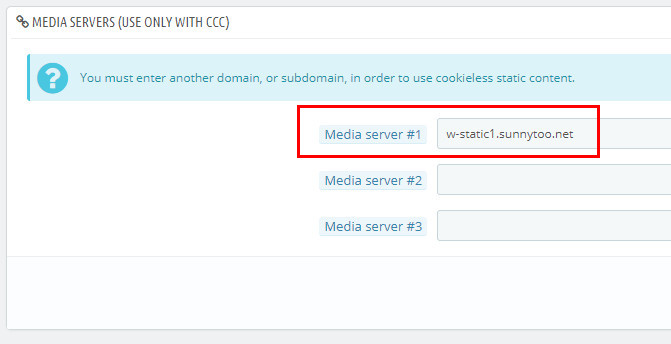
- Adding at least one media server to your site would dramatically speed up your site.
-
You may ask what's that "w-static.sunnytoo.com", how can I get my own one?
"w-static.sunnytoo.com" is just a sub-domain, once you bought a domain, you can create as many sub-domain as you want. Generally a sub-domain would take some time to work after creating, to check if it works, you can upload an image(named as 123.jpg) to the root folder of your site, try if you can reach the file via http://the-sub-domain-you-just-created/123.jpg, if yes, then it's a correct one.
Don't add media servers to your site if it's under maintenance.